How AI Can Improve Website Performance Without a Full Redesign

Written by Casey Botticello
Disclosure: Some of the links below are affiliate links, meaning that at no additional cost to you, I will receive a commission if you click through and make a purchase. Read our full affiliate disclosure here.
Ask a web agency how to fix a slow site and there’s a decent chance the answer involves a redesign. That usually means months of mockups, a migration plan and a budget meeting nobody looks forward to.
But most of the slowness on a typical site has nothing to do with how it looks. It comes from things like a 3MB hero image or four tracking scripts all trying to load at once, and AI tools are now cleaning up a lot of that on existing sites, much faster than a rebuild could.
Slow Pages Cost Real Money

Back in 2020, Deloitte Digital ran a study for Google covering 37 brands and roughly 30 million mobile sessions. Cutting load time by a tenth of a second raised retail conversions by 8.4%, and shoppers spent 9.2% more per order.
A tenth of a second. Most visitors wouldn’t consciously notice that, yet it showed up clearly in the sales figures.
Compare that with a redesign, where the new site can look great in the pitch deck and still load the same chat widget and the same oversized product photos. Rankings can also wobble for a few months while search engines work through changed URLs and page structures. And that’s before anyone mentions the invoice.
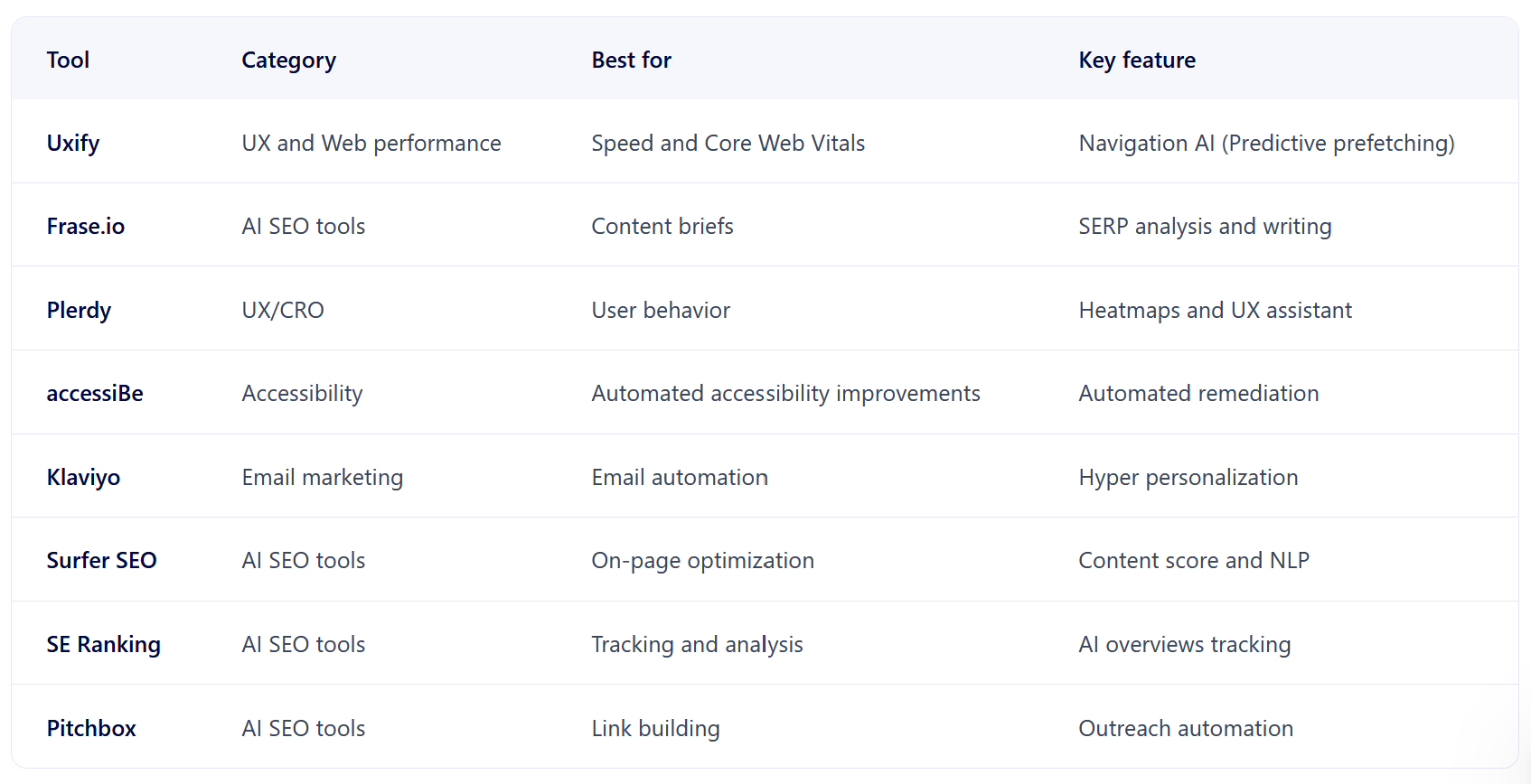
For teams that want the speed gains without all that upheaval, Uxify’s guide to AI website optimization is a useful place to start. It covers how AI tools learn from real visitor behavior and then make changes to the live site while leaving the design alone.
Getting the Next Page Ready Early

A lot of the speed gains come from educated guessing. Say most visitors on a category page click the first product. The browser can start loading that page before anyone taps it.
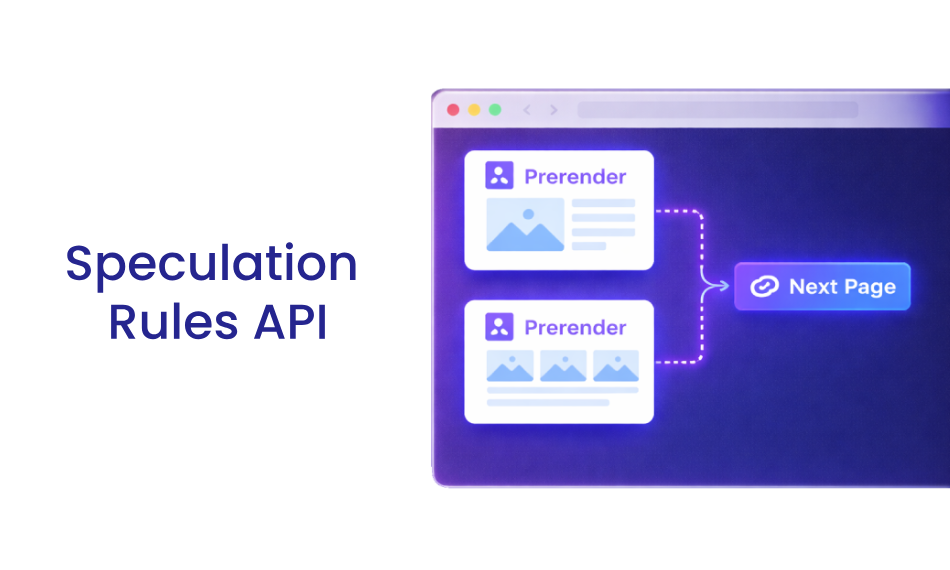
Modern browsers support this through the Speculation Rules API, which lets a site mark certain links for prefetching or full prerendering in Chrome and other Chromium browsers. When the prediction is right, the next page opens with almost no wait.
Guess badly and the site burns bandwidth on pages nobody visits. Models trained on actual click paths do this far better than a developer hardcoding a list of “popular” links once a year and forgetting about it.
Guess badly and the site burns bandwidth on pages nobody visits. Models trained on actual click paths do this far better than a developer hardcoding a list of “popular” links once a year and forgetting about it.
Core Web Vitals Without New Templates
Google spells out its targets in the Core Web Vitals documentation: main content visible within 2.5 seconds, a response to user input in under 200 milliseconds, and a layout shift score below 0.1. Since these numbers feed into search visibility, they matter to anyone who depends on organic traffic.
None of it is glamorous. On most sites, the failures are fairly mundane. A promo banner loads late and shoves the article text down, or a desktop-sized image gets sent to a phone on a patchy 4G connection.
Automated tools can spot these patterns across thousands of URLs and fix them, usually by compressing images or holding back scripts that can wait. The page looks exactly the same afterward.
A manual audit tends to cover the homepage and a few key templates, and that’s about it. Old blog posts and deep product pages rarely get checked, even though that’s often where the worst offenders sit.
Proving the Changes Actually Worked

Gut feeling isn’t a great guide here. Harvard Business Review wrote about an experiment at Bing where a minor headline change, shelved for months because nobody rated it, ended up lifting revenue by 12% (worth around $100 million).
Speed work is no different. Some fixes that look impressive in a lab test barely move the needle on real phones, and a few make things slightly worse.
AI-driven testing helps by shifting traffic toward the better-performing version while the test is still running. Smaller sites get the most out of this, since they’d otherwise wait weeks for a clear result. A store with 2,000 daily visitors can often get a usable answer within a few days.
Someone still has to keep an eye on things, though. An automated tool won’t necessarily know that a certain script runs the checkout, and delaying it by two seconds could cost far more than it saves.
Where This Is Heading
Redesigns still have their place, especially when a brand has outgrown its site. But with prerendering support spreading and AI models getting better at reading visitor intent, a slow site on its own is becoming a weak reason to start from scratch.
For most businesses, a sensible plan begins with checking Core Web Vitals. Fix the worst pages first. Predictive loading can then pick up a good share of the remaining work after that, and the money saved on a rebuild can go somewhere more useful.